

Virtual Assistant TIMS 2.0 (VAT)
一個整合至 WhatsApp 的 AI 聊天機械人
an AI-powered chatbot integrated into WhatsApp
- 隨時隨地,想問就問
Ask questions anytime, anywhere - 靈活、高效、生動嘅學習環境
Flexible, efficient, engaging learning environment
VAT 2.0 使用指南
How to Use VAT 2.0
步驟 1
Step 1
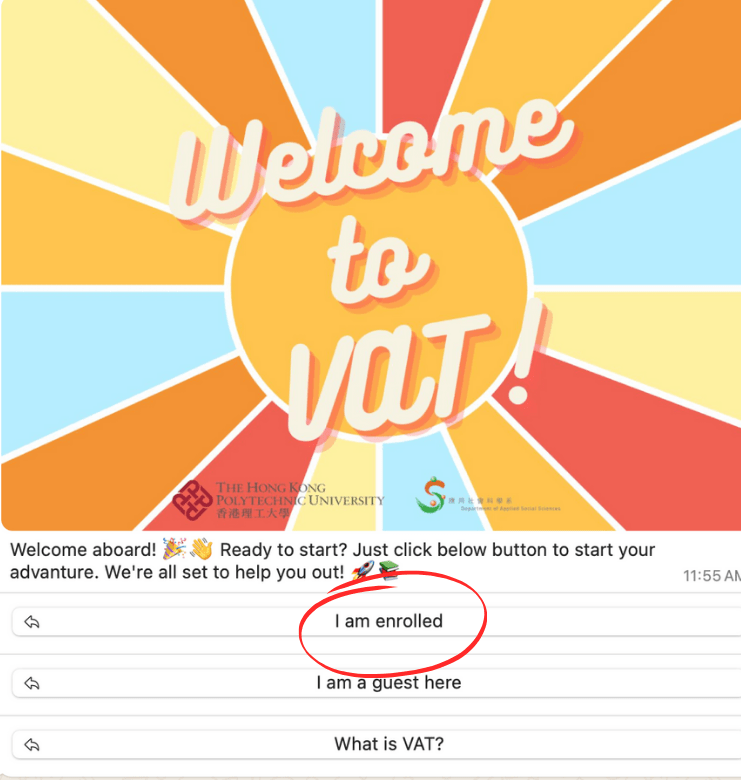
- 掃描上方 QR Code,或點擊上方的「立即使用」按鈕。掃描上方 QR Code,或點擊上方的「立即使用」按鈕
Scan the QR code above or click the “Use Now” button above - 在對話框中輸入「hi」
Type “hi” in the chat box - 點選「I am enrolled」
Select “I am enrolled“
步驟 2
Step 2
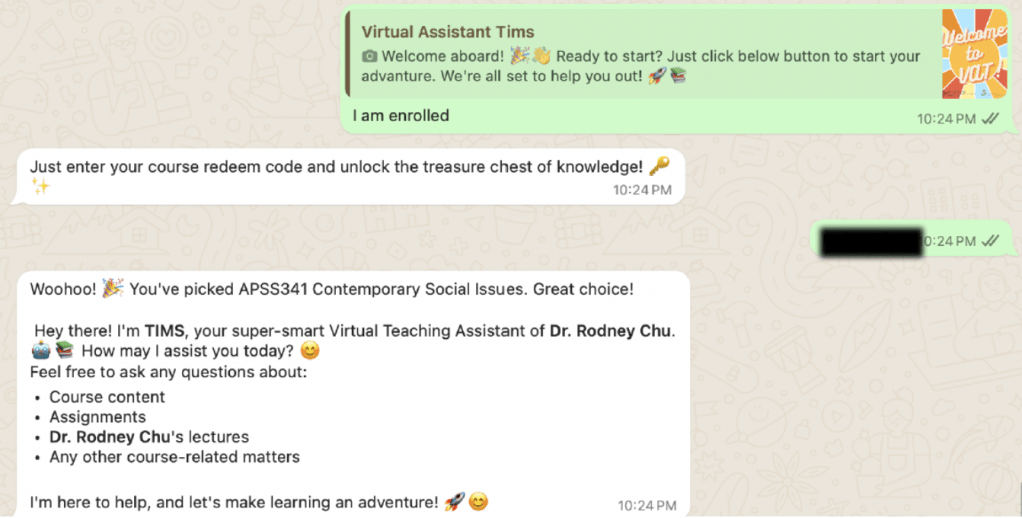
請輸入您所屬科目的「redeem code」。
*請注意,每個科目都有專屬的「redeem code」
Type the “Course Redeem Code” of your subject.
*Note that each subject has a specific “redeem code”
步驟 3
Step 3
開始與 VAT 2.0 對話吧!
歡迎隨時詢問任何與該科目相關的問題,例如:
Start your conversation with VAT 2.0!
Feel free to ask any questions related to the subject, such as:
- 「請告訴我第一堂的課堂總結」
“Give me a Lecture Summaries of Lecture 1″ - 「請告訴我科目詳細資訊,例如:時間表、課程大綱」
“Tell me about Subject details, e.g., timetable, syllabus” - 「請解釋 XXX 概念 / 理論」
“Explain about XXX Concept / Theory“ - 使用語音訊息或照片提問(例如:上傳課程簡報的截圖,以獲取詳細解說)
Ask your question via Voice Message / Photo
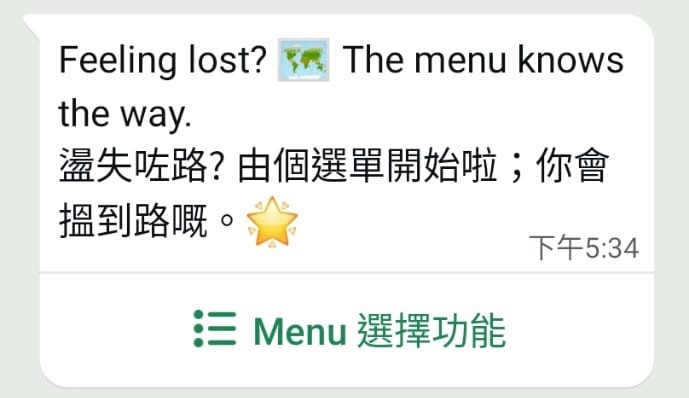
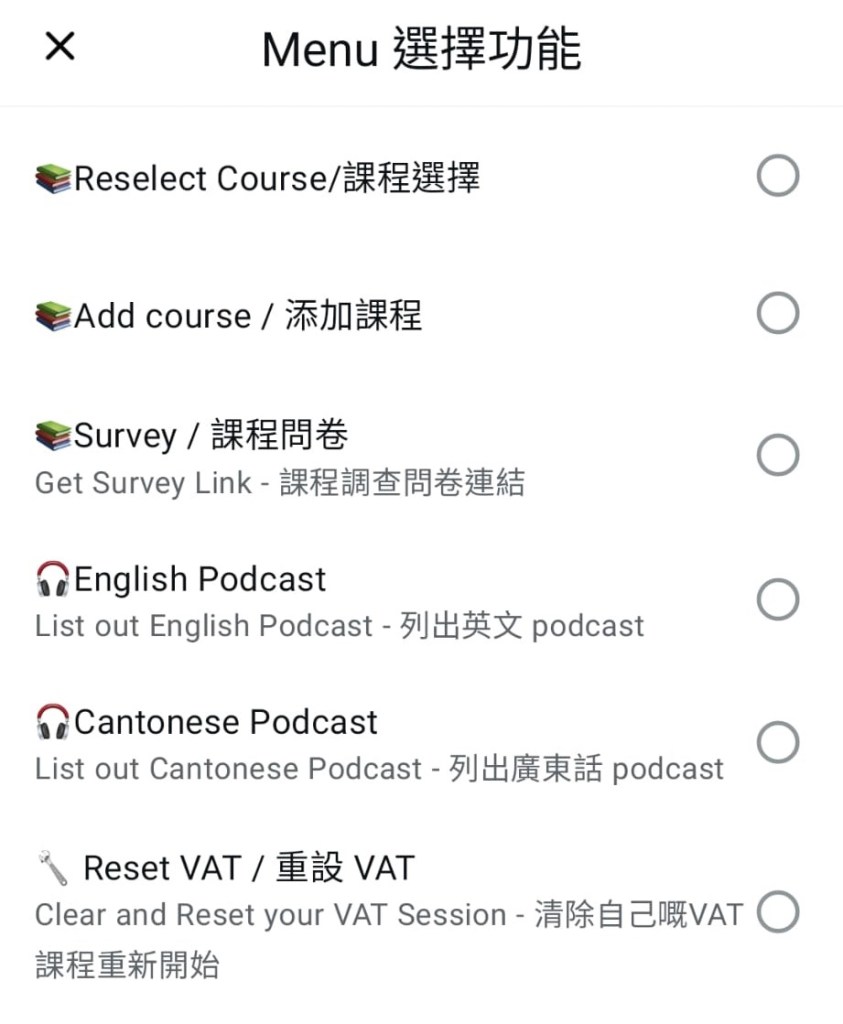
(e.g. Upload a screenshot of a lecture slide for a detailed explanation) - 輸入 “/Menu” 查看指令選單,特別推薦使用 Podcast 功能,可收聽您所選課程的語音摘要。
Type “/Menu” to look for a list of commands, especially Podcast to listen to an audio summary of your chosen lecture.
VAT 2.0 Menu 指令
VAT 2.0 Commands in Menu
/Menu
-> 列出所有指令
-> List all available command here
課程選擇 Reselect Course
-> 選擇其他已註冊的科目
-> prompt for another enrolled subject
添加課程 Add Course
-> 註冊其他科目(輸入redeem code)
-> enroll for another subject (input redeem code)
Podcast
-> 收聽 Podcast 語音摘要
-> Listen to the podcast
/resetvat
-> 重置 VAT 2.0 環境
-> to reset all the records in VAT 2.0

