
Full Introduction to Virtual Assistant TIMS (VAT)
How to use VAT


Step 2
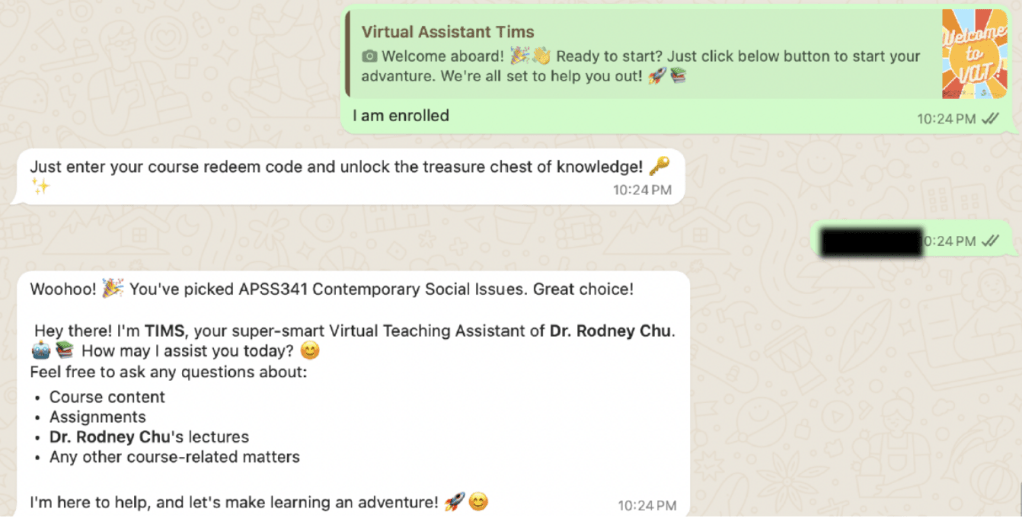
Type the “Course Redeem Code” of your subject.
*Note that each subject has a specific “redeem code”
Step 3
Start your conversation with VAT!
Feel free to ask any questions related to the subject, such as:
- “Give me a Lecture Summaries of Lecture 1″
- “Tell me about Subject details e.g. timetable, syllabus”
- “Explain about XXX Concept / Theory ”
- Ask you question in Voice Message / Photo
(e.g. Upload a screenshot of a lecture slide for a detailed explanation.) - Type “/Menu” to looks for a list of commands especially Podcast to listen to
an audio summary of your chosen lecture.

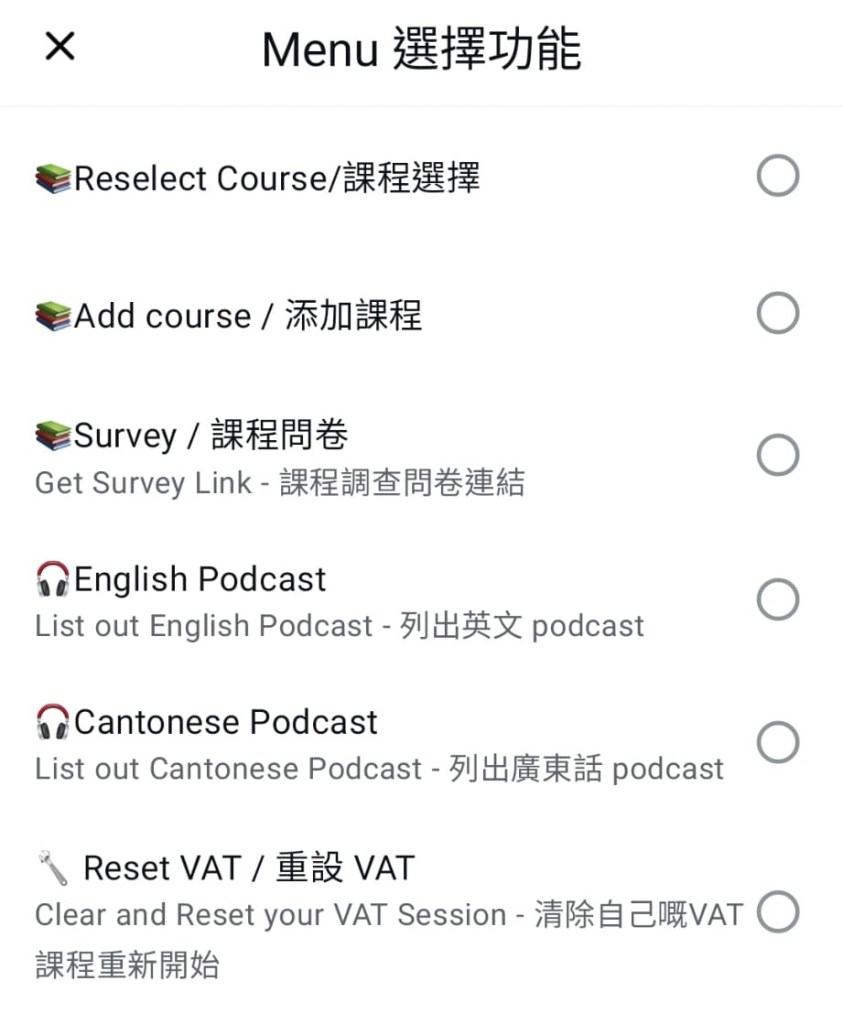
VAT Commands in Menu
Reselect Course
-> prompt for another enrolled subject
Add Course
-> enroll for another subject (input redeem code)
Podcast
-> Listen to the podcast
/resetvat
-> to reset all the records in VAT
*(Cantonese Podcast is not supported for University subjects)
 PolyU APSS CSD